


Desertcart purchases this item on your behalf and handles shipping, customs, and support to Latvia.
⌨️ Elevate your workspace with ergonomic elegance and wireless freedom
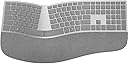
The Microsoft 3RA-00022 Surface Ergonomic Wireless Keyboard combines advanced Bluetooth 4.0 connectivity with a natural ergonomic design featuring a double-cushioned Alcantara palm rest. Compatible with Windows 10 and select Surface devices, it offers durable keys rated for 10 million presses and smart lock indicator lights, all wrapped in a sleek gray finish that fits perfectly in any professional setting.


| ASIN | B01MFCTRZM |
| Additional Features | Bluetooth |
| Antenna Location | Office |
| Best Sellers Rank | #1,111 in Computer Keyboards |
| Brand | Microsoft |
| Built-In Media | Keyboard, batteries, quick start guide, warranty guide |
| Button Quantity | 78 |
| Color | Gray |
| Compatible Devices | PC |
| Compatible Operating System Family | Windows |
| Compatible Tablet Computer Models | Microsoft Surface Pro 4 |
| Connectivity Technology | Wireless |
| Customer Reviews | 4.1 out of 5 stars 1,035 Reviews |
| Enclosure Material | Alcantara |
| Generation | 1st Generation |
| Global Trade Identification Number | 00889842160284 |
| Hand Orientation | Ambidextrous |
| Item Dimensions L x W x H | 18.11"L x 9.02"W x 1.36"H |
| Item Type Name | Microsoft Surface Ergonomic Keyboard |
| Item Weight | 2.2 pounds |
| Keyboard Backlighting Color Support | Single Color |
| Keyboard Description | Ergonomic, QWERTY |
| Keyboard Layout | QWERTY |
| Manufacturer | Microsoft Surface Accessories - PC |
| Mfr Part Number | 3RA-00022 |
| Minimum Required Operating System Version | Windows 10 |
| Model Name | Ergonomic Keyboard |
| Model Number | 3RA-00022 |
| Number of Batteries Required | 2 |
| Number of Items | 1 |
| Number of Keys | 104 |
| Number of Packs | 1 |
| Number of Sections | 1 |
| Power Source | Battery Powered |
| Recommended Uses For Product | Office |
| Special Feature | Bluetooth |
| Style Name | Contemporary |
| Switch Type | Mechanical |
| Theme | Office |
| UPC | 889842160284 |
| Warranty Description | 1-year manufacturer warranty |
G**O
What I was looking for
I have tried many keyboards on several brands, basically looking for the functionality that I had with Natural Keyboard 4000 but with the addition of wireless. This one meets my expectations so far because of this: - Lock lights. I REALLY need to know when Caps Lock is on, Num Lock, Function Lock, in that order of importance. - My last one before this was Microsoft Sculpt. I love the keys distribution on the Sculpt (which is practically the same as MS Surface Ergonomic) and the soft keys (same as MS Surface) but, as much as I see it useful for others, I hate that the numeric keypad is separated (And I travel often). I also hate that the function (FN) switch is not a key but a hard switch that constantly forget to move back and that there are no indicator lights for FN, CAPS, Num. MS Surface has all that. Many times I press a function key with the sculpt and end up doing something totally different just because that switch is in the wrong position. It's a matter of just looking at the switch but it's a small switch and not as easy to tell in which position it is. - Surface uses bluetooth. With my other keyboards, I was using a dongle. Sometimes when I travel I would forget the dongle and the keyboard was rendered useless. Once, one of such dongles got broken. I researched in many sites and some people would say there was a way to get a replacement. I never found one (For the MS Sculpt). Without that dongle, the keyboard cannot be used. I was able to open the dongle and do do some minor soldering to fix it. With the Surface Ergonomic, I connect to my laptop without the need of a dongle. - If the computer doesn't have bluetooth then I, again, would need a USB to bluetooth dongle BUT if I forget that dongle while traveling or if it gets broken, I just buy a new one and most of them range from $6 to $15 dollars and they are NOT tied to one keyboard, which was the problem with the other keyboards I used. - The function keys are not too small like in the Sculpt. I can use them way easier - With the Jelly Com KE 68 (another keyboard I tried), I had many features exactly like the Surface but the navigation keys (Home, End, Pg Up, Pg Dn, arrows) were being shared with the numeric keys. I use both the navigation keys and the numeric pad a lot. It was awful. On top of that, there was no indicator for the Num lock so I was always having a hard time trying to know whether that part of the keyboard was ready for navigation or for numbers WISHLIST - Please offer one in black - I didn't find a mouse that comes in combo with this keyboard. I had to get it separately - Please offer a base to put underneath the keyboard, like the one that Natural 4000 and Sculpt have. That or extensible legs or anything equivalent. I'm borrowing the base from Sculpt CONS - If I go inside CMOS setup, the keyboard doesn't work (at least on my machine). On those rare cases that I need to go to CMOS setup, I use another keyboard - One of the laptops I tried has symantec security login which intercepts the boot up (This is before Windows loads). For that one, the keyboard didn't work (I'm assuming there was no equivalent driver outside of Windows. Same situation as with CMOS setup). In the morning, when I turned on the computer, I had to temporarily use another keyboard for that laptop. It's a minor for me but, if somebody uses one of those pre-boot security measures and / or restarts the computer often during the day, that might become annoying.
D**E
Easily the best looking ergonomic keyboard
This just arrived, so my review only consists of first impressions right now. I'll update this later after I use it for a while. I bought this keyboard for use with the new MacBook Pro w/ touch bar. Although I hate to admit it, Microsoft is known for making good ergonomic keyboards. This keyboard is no exception. It feels solid and seems to respond well. It paired easily with the Mac and many of the special keys work as expected (volume, brightness, etc). Of course one of the reasons I bought this particular one is that it looks visually similar to the Apple brushed aluminium look. It is fairly close, but it is obviously plastic rather than metal. It still looks great. TL;DR: It looks as good in person as it looks online and pairs easily with a Mac over Bluetooth. UPDATE: It has been a week now and I have some additional feedback to share.. First of all, I'd like to respond to the reports of lost keystrokes. I have not experienced anything like what the other reviewers have described. When typing on the keyboard connected to my Mac, I have not experienced any lost keystrokes. What I *have* experienced is a sluggish power saving mode that I suspect occurs even on Windows. What I mean by this is that eventually the keyboard will go into some kind of sleep mode to save power. At this point, if you start to type nothing will transmit - even after it "wakes up", it will not send these keystrokes. This means that if you walk away and come back later, you may need to tap a key and wait a moment for it to start working again. This is a little inconvenient but it is not like the middle of words will be lost. Hopefully there will be some kind of firmware update that will correct this. It would be very nice if it would send the keystrokes even if there was a slight lag. Apart from the power savings mode, I have a couple other things to report. My biggest gripe is the lack of spacing between the right control key and the arrow keys. There is no noticeable gap. I don't look at the keyboard much when I use the keyboard, so I'm having to learn to feel for the up arrow to center my hand to use the arrows and Insert/Home/End/etc. There is a bump on the down key, but I haven't had much luck picking it up quickly. Next up is the 6 key being mapped to the left hand while I've spent the last year training myself to use my right hand. This is a bit quicker to transition to, so not that big of a deal for me. Finally, I'm not quite sure if I like using the Fn key to trigger the function keys. I'd almost rather use it to trigger the media keys instead. I'm sure I'll get used to this, but one week in and it's still bugging me. Bottom line is I'm still quite happy with this keyboard and can definitely recommend it for Mac users. As others have mentioned, you do need to have support for Bluetooth 4.0, which the 2016 MBP has. I'll consider updating this again after another month of use.
J**N
Nice ergo keyboard with a few missing features
Overall this seems to be a decent keyboard based on a day of use. I write this from the perspective of someone that uses a computer about 10 hours a day professionally and have been using Microsoft ergonomic keyboards since the late 90's. Great Things 1. Most important, the keyboard is comfortable to use. I don't feel any strain in my wrists when using for extended periods of time. I simply cannot use normal keyboards for any extended time due to wrist pain. 2. The height of the wrist support is nice for a tall person--6'2". I've never been a huge fan of the wrist lifts that were included with other keyboards. As others note, there is no wrist lift with this keyboard. 3. The keys have good travel. I don't feel like they bottom out too quickly or easily. For perspective, they do not feel as shallow as the Microsoft Sculpt Ergonomic Wireless Desktop Keyboard and Mouse keyboard I use at the office. They are certainly not as long as the wired Microsoft Natural Ergonomic Keyboard 4000 for Business - Wired I replaced in my home office. 4. The keyboard is thin, yet very sturdy, presumably due to a possible metal frame. I've read it isn't actually metal, but it sure feels like it. 5. It's nice to have function keys that can be activated with the tap of a dedicated Fn key rather than the switch included in the Sculpt Ergo keyboard. 6. It's nice to have the numeric pad built into the keyboard. I do use the numeric pad quite often and with it being separate with Sculpt Ergo, it always felt out of place. 7. I love the magnesium finish and Alcantara wrist wrest. I have to admit, my first thought on this finish, just looking at the pictures, was that it looked washed out and cheap. Much to my surprise, it looks very high end in person. Disappointing/Missing 1. The battery door or batteries RATTLE when typing. How can this be with such an expensive keyboard? I shoved in a small piece of paper between the door and the batteries. This seems to stop the rattling. 2. There's no wired option like the Microsoft Modern Keyboard with Fingerprint ID . My wife and I both have Surface devices at home. I'd love to be able to connect this keyboard to the Surface dock and be able to use with either device at the desk. Instead, we'll either have to use separate keyboards or pair the keyboard each time. In lieu of a wired option, it would be great to have a switch to switch between devices. 3. Really sad there is no fingerprint/Windows Hello key like the Microsoft Modern Keyboard with Fingerprint ID. Those last two really seem like odd omissions. Why create such a beautiful keyboard and leave out those great features? I can't enjoy those simply because I require an ergo keyboard? Maybe we'll see a new version in 2018 that addresses those. UPDATE: Jan 9, 2018 I've used the keyboard daily for about a week and a half now. I still find it a joy to use, for the most part. I've noticed the keyboard seems to have a pretty aggressive sleep timeout. There are times, like just after reading a long article on the screen or watching a video, where there will be a pause in characters appearing on the screen. It's usually a 3-4 second pause. I've seen this behavior with my desktop and with a Surface Pro 3. I noticed the left Ctrl key sticks along the left edge and it makes an odd clicking noise like it is catching on something. I've initiated a replacement through Amazon.
D**N
maybe the best keyboard I've used... with a few nearly deal breaking issues
Update 2020/05/23 Three years now and I love these keyboards. I have three of them now. I'm writing this on a Sculpt though and I wish I had a Surface. I love the keys on the Surface they almost feel mechanical, but not overly so. The Sculpt keys feel decidedly mushy in comparison, not to mention the ridiculous issue with the Sculpt where you can throw the keyboard away if you lose the dongle. I still don't have any issues with connectivity or lagging anymore. I'm still 100% on Linux computers. Sometimes it takes an extra tap to wake it up but it's only when I've been away. Battery life is good. I don't remember the last time I changed the batteries and I use rechargeables. The only thing I don't like about these keyboards is the wear on the palm rest. I have to wipe it down every day with cleaner or it starts to get gross. Invariably, over time, there's nothing you can do and it will never look good again. Oh, and some of the keys have worn off the oldest one (the f, g and h), but I don't really need letters on my keys anyway. Update: 2019/01/15 After nearly two years with this keyboard, I'm a fan. I ended up buying a second one that I needed for a second location. The second one is slightly nicer. The keys are slightly more clicky. This is the best keyboard I've used. The disconnection issues are gone. I don't know what the problem was. The stuck keys issue is gone. It's just perfect... except on OSX where it still doesn't show up as a keyboard but it can be worked around. It's definitely hard to keep clean... just about impossible. I wish it came in black. On Linux is works perfectly. And that's fine since I upgraded my MacBook Pro to Linux. ------------------------ So, bittersweet. Way back when, when my fingers were constantly numb from typing at a non-ergonomic keyboard, I found the original Microsoft Natural keyboard and it was revolutionary. Within 30 days my fingers went back to normal and I was saved. Never again could I type for long periods at a flat keyboard. I have to admit, there are some things that Microsoft does well. Though even then, there are frustrating issues that stain perfection. I've had a number of sculpt keyboards and they're pretty good. The exception being that one that had the lazy '/' key (a huge problem for me). The other huge problem with them was the potential for losing the dongle, which would render the keyboard garbage because there is no way to pair a new one. None. Astonishing. So, maybe this Bluetooth thing will work better? More on that later. The third problem with the Sculpt keyboards was the wrist rest covering, which would wear fairly quickly and leave an unsightly rat-marked device. The Surface Ergo keyboard has a new covering material and we'll see how that fares but I can already notice the area under my palms becoming more rough with wear. On the other hand, it's a great keyboard. The action on the keys is much better than on the Sculpt. To me it's nearly mechanical in how it feels with satisfying clicks and travel. The sharper edges of the keys is also surprisingly better. Overall, this may be the best keyboard I've used on a day to day basis. I like the keypad being attached again. Sometimes it just comes in handy. I was worried about the mouse being further away, after getting used to the Sculpt, but I haven't really noticed too much. I'm a coder. I type fast expect my keyboard to perform perfectly. This one does... except... sigh... Here is where your mileage will definitely vary. I use this keyboard between two laptops, a Powerbook and a Thinkpad running Arch Linux. I have a USB hub that allows me to easily switch between laptops with one connection (and the DP for the monitor). This was a great setup with the Sculpt. With the Surface, however, it doesn't seem to be able to be paired to two devices at once. Other Bluetooth devices, like my Sony headphones, don't have a problem with this but the Surface needs to be re-paired every time I switch. Also, the pairing process with the Mac is finicky. Sometimes it takes 2 or 3 tries. Annoying. Furthermore, not the keyboard's fault, but definitely a thing to note for OSX use is that it doesn't show up as a keyboard option in Settings, so you can't just set a different key mapping for the Windows and the Left Alt key as you might with recognized input devices. To get around this, I had to install Karabiner, and I have to switch configs when switching from the Surface to the laptop's keyboard. Doesn't show up as a Bluetooth keyboard either as apparently, that's reserved for Apple Bluetooth keyboards. Annoying. (though on Apple, not Microsoft) Also, every once in a while, my mouse goes wonky and I've narrowed it down to some key being sent incorrectly by the keyboard because I can fix it by cycling Bluetooth. :-/ Finally, on the Mac, the media keys aren't mapped right. Not a huge deal. In fact, I haven't even fixed it yet. Now on Linux, aside from the re-pairing, it's much better, except for that one thing. That one thing? It drops. Inexplicably, and sometimes mid-stream, the keyboard stops working and I have to cycle Bluetooth on the laptop to get it back. I don't know what the problem is here yet and it could very well be something stupid with my Bluetooth setup that I can fix, and when I do, I'll report back. It does seem to be consistent with the keyboard acting up under OSX, so maybe it's sending something that isn't dealt with well? IDK. Lastly, as others have mentioned, it goes to sleep. This hasn't been an issue for me. At worst, it just takes a couple extra keypresses when coming back to it and it wakes right up. No Bluetooth disconnect at these times for me. Not a big deal. I'd say, if typing and ergonomic keyboards are important to you, then this is the best one from Microsoft yet and as for Logitech... what happened to them? Definitely the best mainstream keyboard you can by off the shelf, IMHO. If you're stuck on mechanical keyboards or are a really big keyboard geek, building your own and whatnot, I don't know. For me, I think I'd be exploring those options if this keyboard weren't so good. It's just good enough to keep me from getting into the world of custom and specialty keyboards, for now. Subtracting stars for the Bluetooth single device pairing limitation and, maybe unfairly, for the lack of concern for OSX interoperability. Microsoft: keep building good keyboards, but please, consider the rest of us who like your keyboards but don't like your operating systems.
J**S
Great Idea but wasn't executed well
1 month EDIT: I can't recommend the keyboard to anyone at this point, I have multiple keys on this board "squeaking" when they are pressed and when typing in rapid fashion makes an awful, awful noise. It is bad enough that I can see most people being put off the keyboard. It started with just the enter key (and only sometimes) and now other keys affected are , spacebar, e, t, l and k. I love this keyboard but it has its fair share of draw backs and at this price point, it might be a deal breaker for some. Pros - Great Ergonomics (this keyboard is very comfortable to use for an extended period of time) - Wakes up fast (I saw a lot of reviews complaining about this but I have not had the same experience. I've had maybe 3-5 times where I needed to wait 5ish seconds for the keyboard to wake up and start working. It really isn't as big of a deal as some make it seem. - Very quiet! I used to use a mechanical keyboard as my daily driver but when we moved to an open office space I needed something that wasn't as loud Cons - Enter key squeaks (When hit juuuust right, and for me that's about 1/2 the time. There is an awful, awful squeak of the key. I dont think my board is bad I think its just how the switches sound if you don't hit them dead on) - Wrist wrest is a PIA to clean (Just google Alcantara cleaning process) it takes a lot of work to clean and it honestly gets dirty so quickly again that you may as well just accept that your wrist wrest will look dirty and brown almost all the time. My wrist wrest started to get noticeable shading on it within just 2-3 days of using it) Overall the keyboard is great, in hindsight I might have held off until the keyboard dropped in price to around $60-$80 before purchasing.
J**Y
Premium Keyboard with odd issues/design (why?)
Update: Here's what I do not like: No dedicated multimedia/volume keys. Because I constantly use function keys while working and listen to things in the background of varying volume sources. Switching would not be as cumbersome if the Function Lock key lit up properly to reflect its current state. The Function Lock key light is does not always reflect the state of the function keys. You always have to look at it to keep switching between F2/F3 and volume up/down. Pressing the Function Lock key sometimes requires two presses to indicate its status. The print on the function keys is tiny so I had to put stickers on them to see them by simple glance during work flow. There is no standard back lighting: only num lock, scroll lock and the flaky function lock. Given the price and manufacturer, I'd expect this thing to work better. I'm giving protoarc keyboards a chance for my next keyboard simply because of backlighting and dedicated volume keys. ========================================================================================== Kinda pricey but it's an older item so they jack up the price to double the original msrp: used to be ~$100, now it's $199. Here's my take: It's a very sleek, thin keyboard and looks great on the desk. Keys are thin, soft-touch and provide just a little resistance. Quiet. There is some heft or weight to it also as the body appears to be made of aluminum. The fabric on the wrist-rest is smooth and firm but also a little bit cushion. The keyboard is no thicker than a pen. For the price, this is a premium-feeling and premium-featured keyboard. So far as functionality is concerned, there's a bt-sync button on the bottom for connectivity. This kbd is 100% bt-only, no dongle and uses 2-double A batteries. Also there is a Function-Lock key on it for access to the dual functionality of the FKeys. This is great for devs who constantly use F5, F6, F10, F11 for building, debugging and stepping through code. The arrow keys are highly convenient for those pesky times when you have to meticulously edit a series of sql commands: the dedicated arrow keys and num keys are great for such instances although ai can do a lot of that much faster than anyone can type. Oftentimes when I return to my desk and the screen is locked, there's a slight delay because the device likely went into sleep mode: there's a half-second blip while you type the first character that wakes up the kbd and initiates the re-handshake to the target machine. No big deal really. Standard typing flows well as there are no blips or delays while typing. If you're looking for a cheap alternative ~$50 instead of slinging two hard-earned bills at this premium solution, check out the "Incase Ergonomic Keyboard – Designed by Microsoft – Refined Ergonomic Design, Built-in Shortcuts Keys, Layered Palm Rest for Elevated Wrist Support, Integrated Number Pad – Black". Both the Incase and the MS 3RA-00022 models are the successors to the MS Natural 4000 it seems - I could be wrong though. Fairly certain you will like this kbd. For me, anything better would have to be built from the ground up and easily cost just as much.
C**H
Nice keyboard!
There's something to be said for a nice keyboard, especially if you have to sit at a desk and type all day. I've been using a Microsoft Sculpt keyboard a lot and it's a real nice keyboard. I have gotten used to the soft key clicks and the comfort. it's a great keyboard on it's own. Not sure about the mouse that comes with it but that's another story. The only real gripe that I have with the Sculpt keyboard is that the stupid "Insert" key is right above the up arrow. So I find that several times a day, I inadvertently slip over into "insert" mode and start butchering up my programming / email, etc. So the Surface keyboard really interested me because it really is somewhat similar to the older Microsoft Ergonomic keyboard. And my gripe with that style of keyboard was that the key-press length was too long and started to annoy me. Or maybe it was the key travel. Whatever you would use to measure the amount of force it takes to press the key down eventually got to be tiring after a long day. Although the keyboard is pictured with a mouse on the Amazon ad, it comes with no mouse. Just a keyboard. The keyboard is very solid. It has the feel of a premium device. It does feel like a step up compared to the Sculpt. The palm rest of the Sculpt keyboard does fade over time going from that nice black to a darker grey. And that's just sad. The Surface keyboard is grey so I don't expect that it will fade as much as a black keyboard. Key travel is very minimal. I like that a soft key press works just fine. I use Linux as a desktop OS and that works just fine. I bought a cheap Bluetooth USB adapter and was up and running with the keyboard on Mint 18.1 without any issues. I do like the layout. It does have a few quirks. Although the dreaded "insert" key is further away from the up-arrow, the "function" key can sometimes reach out and get you which is in the lower left-hand corner. I've toggled that once or twice by mistake. Beyond that, I really like the keyboard. It's quite comfortable. The price. I'm mixed. It is a premium feel of a keyboard. It's not a mechanical keyboard however like a Das Keyboard. I took a leap paying for this but I'm happy thus far. I think you have to decide if it's worth the price.
S**S
Superb Keyboard (When It Works) - Mac Users Beware
EDIT (AGAIN): After doing some additional research and speaking with a few other owners of this keyboard, it appears bluetooth connectivity issues I describe below disproportionally affect Apple computers. In fact, I suspect the issues affect only Apple products, which should come as little surprise given this is a Microsoft product. EDIT: My original, glowing review below was based on my first week of use - before the keyboard decided to stop waking up from sleep and reconnecting. Everything I said in the original review is still true; when the keyboard works, it's superb, one of the best keyboards I've ever used. However, I've now gone through two of these units and they both suffer from the same bug of inconsistently waking up and the inability to consistently reconnect to your computer. Unfortunately, I'm not willing to waste 5 minutes removing and re-pairing the keyboard every time my computer goes to sleep so I'm sending this keyboard back. Hopefully Microsoft will release an updated version that fixes these issues. After a weeks of use I had to revise my initial glowing review down to one star, unfortunately. As it turns out, this keyboard is extremely inconsistent when it comes to waking up from sleep. Occasionally it works flawlessly but frequently it refuses to wake up at all. Removing and replacing the batteries doesn't solve the issue, though sometimes waiting 20 or 30 minutes and trying to wake it up again does work. But the only real solution I've found is to remove the keyboard from my bluetooth devices and re-pair it, which is highly frustrating. I'm hoping this is just a glitch with an early production run of the device because I really want to love this this. For what it's worth, the laptop with which I pair this keyboard is a 2016 model and is equipped with the latest Bluetooth 4.0 I evaluated the new Surface Ergonomic keyboard through the lens of the previous iteration of the product, the Microsoft L5V-00001 Sculpt Ergonomic Wireless Desktop Keyboard and Mouse and I've found it to be an improvement in nearly every way. Pros: + FINALLY A BUILT IN NUMBER PAD! My single biggest gripe with the Sculpt ergonomic keyboard was the fact that the number pad was a separate detached unit. There were so many problems with this: it was easy to lose, it didn't stay put when you were using it and the crappy little watch battery died months before the AAA batteries in the main keyboard expired. + Build Quality. From the moment you take this keyboard out of the box, you can feel that it's a much more substantial product than the old Sculpt Keyboard, which was light and entirely plastic. This Surface ergonomic keyboard may not have a metal case but it's thicker, heaver and less flexible. This bodes well because I went through 4 of the old Sculpt keyboards over two years. + Tactile feel of the keys. This isn't a mechanical keyboard, so don't expect that super satisfying click. But the switches used in the Surface ergonomic keyboard offer substantially better feedback than the previous version, which was slightly mushy when new and very mushy after a few months of extended use. The keys are still light and easy to press, but the level of travel and resistance is pleasing enough to create a really nice tactile feel. + Neutral color will hide wear and tear better. My old black Sculpt Ergonomic keyboard looks positively disgusting after a few months of use. The palm rest was stained a lighter color in places and the most frequently used keys became greasy and gross looking. The lighter colors of the Surface ergonomic keyboard should hide those things much better. Mixed: +/- Bluetooth connection instead of wireless dongle connection. For me this is a pro because I lost one of the little USB wireless receivers required with the Sculpt Ergonomic keyboard and Microsoft simply didn't make replacements. So if you lost the USB receiver, you had to buy a whole new keyboard. But I understand there are use cases where bluetooth could be a con. Cons: - Price (kind of). Yes this keyboard is more expensive than the previous version. However, I think this will be a better investment in the long run. As I stated earlier in this review, I had to buy four Sculpt Keyboards over two years whereas I could realistically see this keyboard lasting a full two years, though I could be completely wrong on that. - Color (possibly). The keyboard I received doesn't match the color scheme of the product photos - the keys and wrist rest are a light grey rather than dark grey or black. I'm not sure if I inadvertently ordered the wrong version or if the product photo isn't accurate, but it is definitely different. It's still pretty good looking and I don't really care. But the white letters on the grey background don't provide excellent contrast, which could be a problem for some people. Overall I'm extremely pleased with this keyboard and plan to order a second one for my home office soon.
G**N
Good
The space bars are sticky but functions good with both mbp as well as a surface
M**O
Perfecto para Surface Pro
Perfecto teclado para oficina. Ergonómico y silencioso. Altamente recomendado para Surface Pro. No se desconecta, rápaida respuesta y muy ligero. Este es un teclado premium para productividad, no para jugar videojuegos.
R**S
The most beautiful keyboard ever
Pure excellence.
L**E
Awesome Keyboard!
This keyboard is an edge above the Microsoft Sculpt Ergonomic Keyboard only because the number pad is attached. what it lacks in connectivity options ( bluetooth only ) it makes up for in use once you get a USB bluetooth adapter (if needed). I beat the heck out of my equipment as I am a hard hitting typer. the wicked action of the low profile keys allows me to mitigate the mashing effect I am known for on a regular keyboard. if you want to type faster this is the keyboard for you! I have owned 4 of the Sculpt keyboards and then i found this pne and life returned to the relaxing options offered with a number pad. The heavens opened and angels sang the day it arrived!
A**R
Keyboard received was in French!
Product not as in picture/description. It wasn’t mentioned neither on the pictures or the description that the keyboard is in French. Luckily I speak French... 2 stars were efficient delivery and the keyboard otherwise looks and feels nice.
Trustpilot
1 week ago
3 weeks ago